Get Started
Learn how to use this site
How to create API Token?
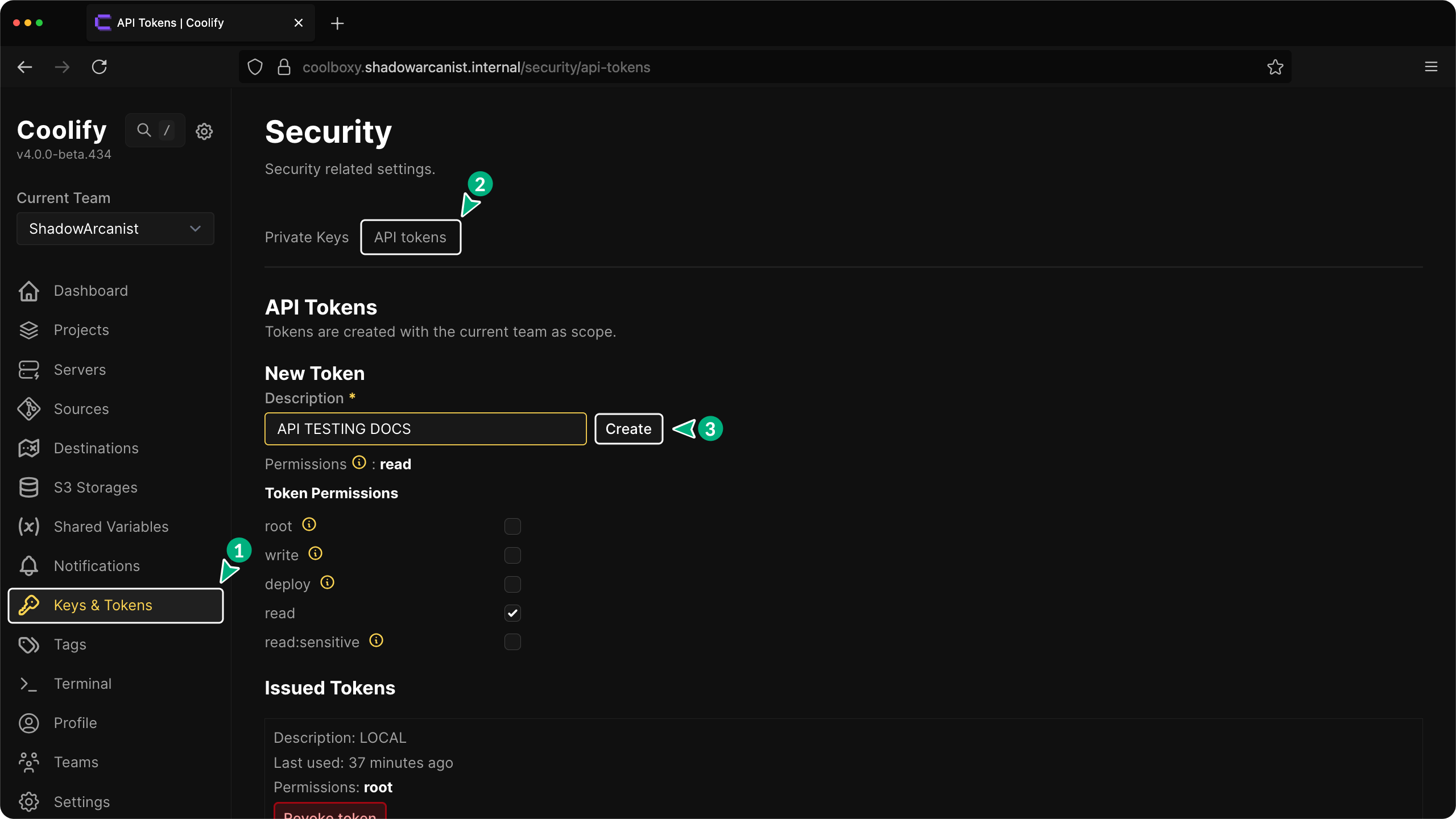
- Go to your Coolify dashboard and Click on
Keys and Tokensoption on the sidebar - Click on the
API Keystab - Enter a description for your token and click the
createbutton
How to use this site?
1. Set your instance domain
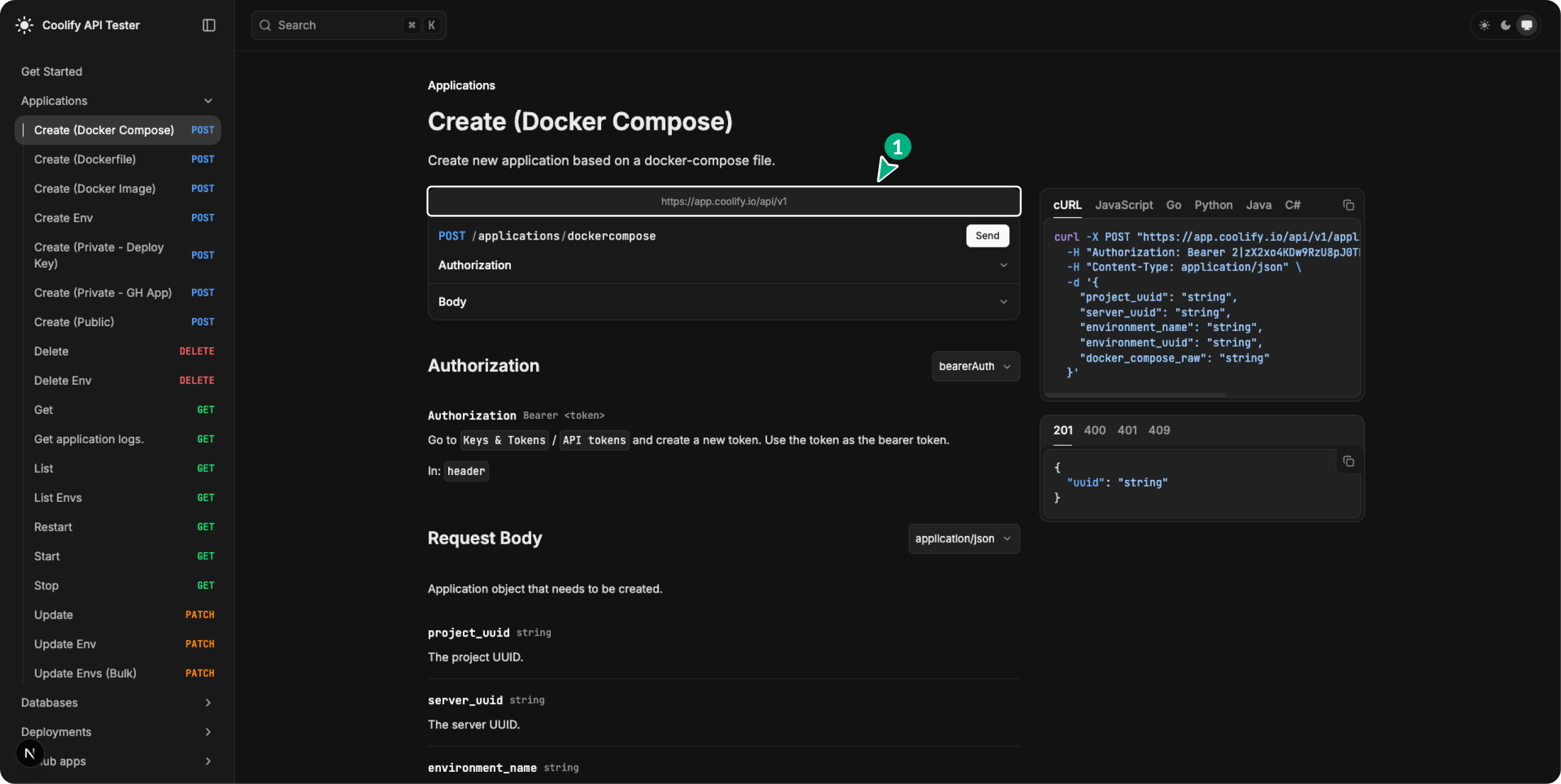
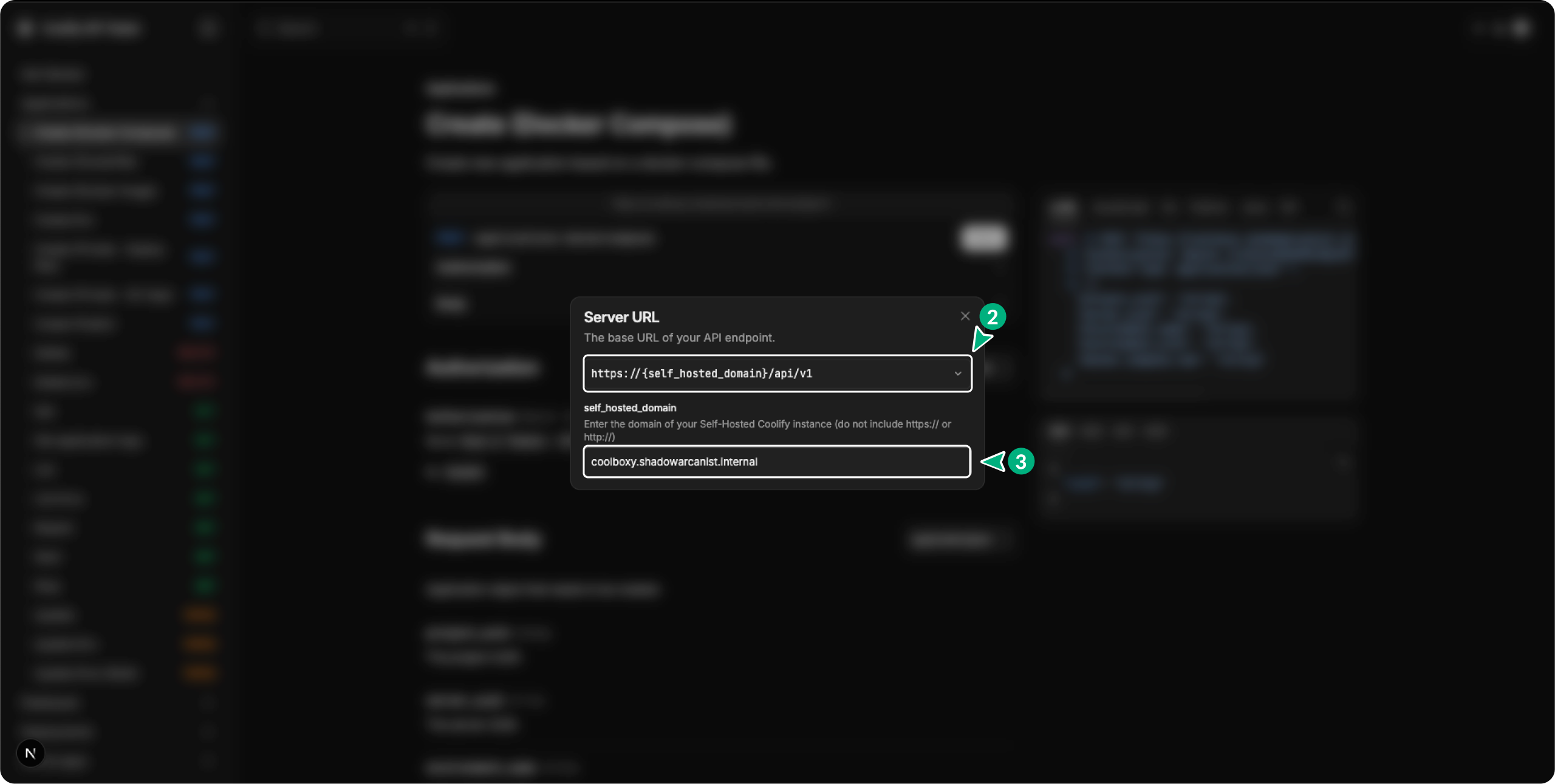 Note: By default it will use Coolify cloud url
2. Enter your API Key
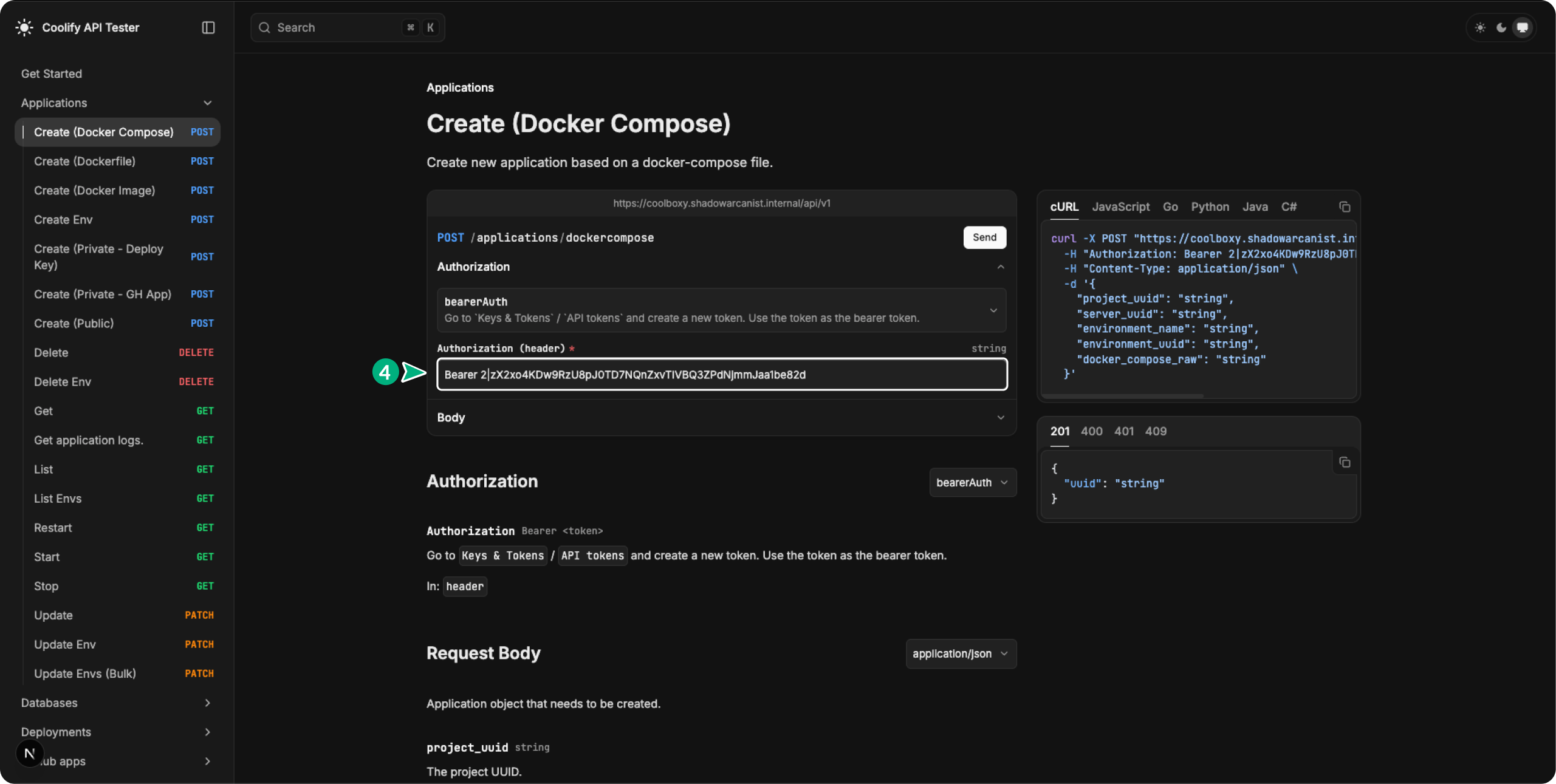
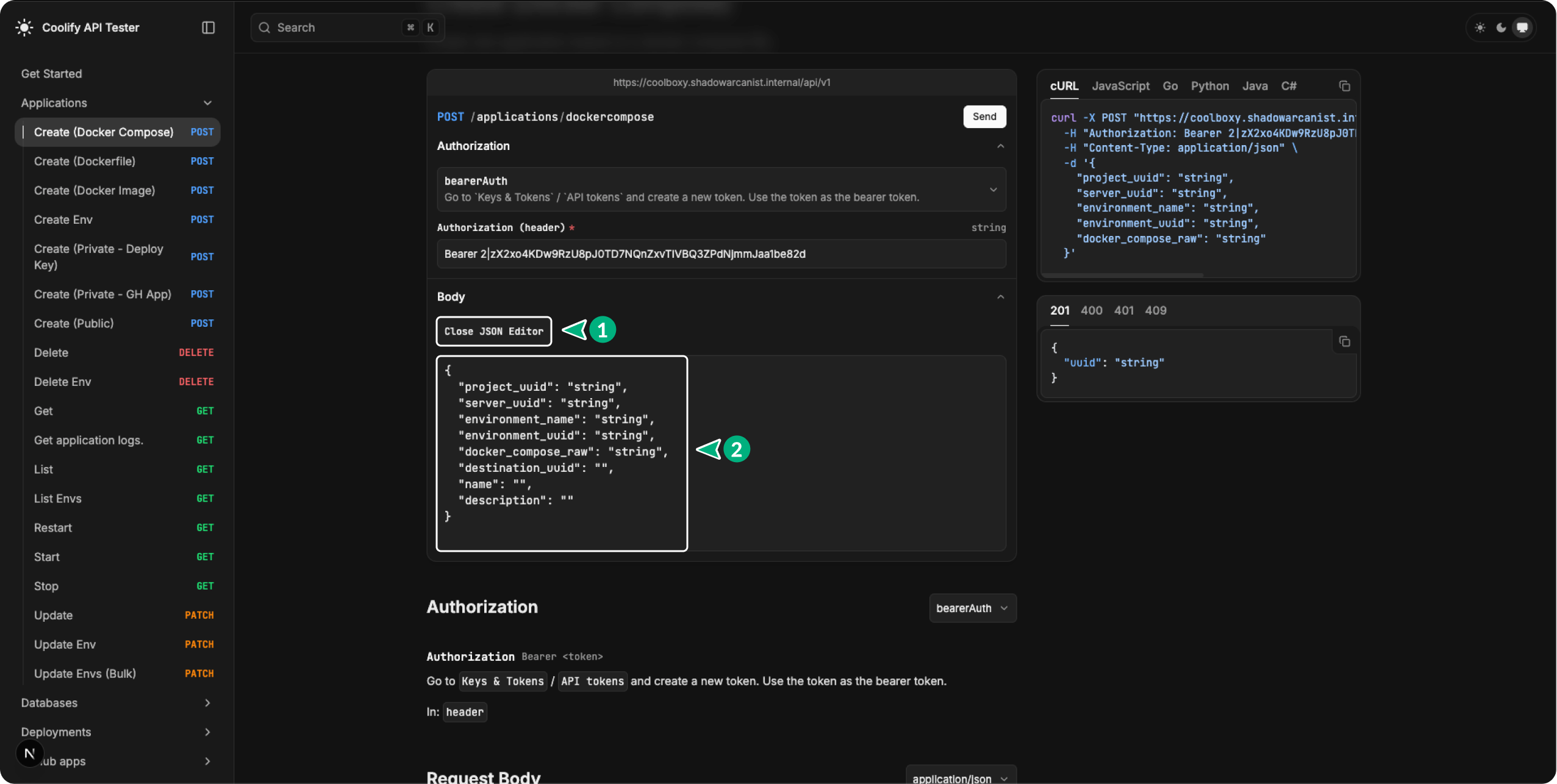
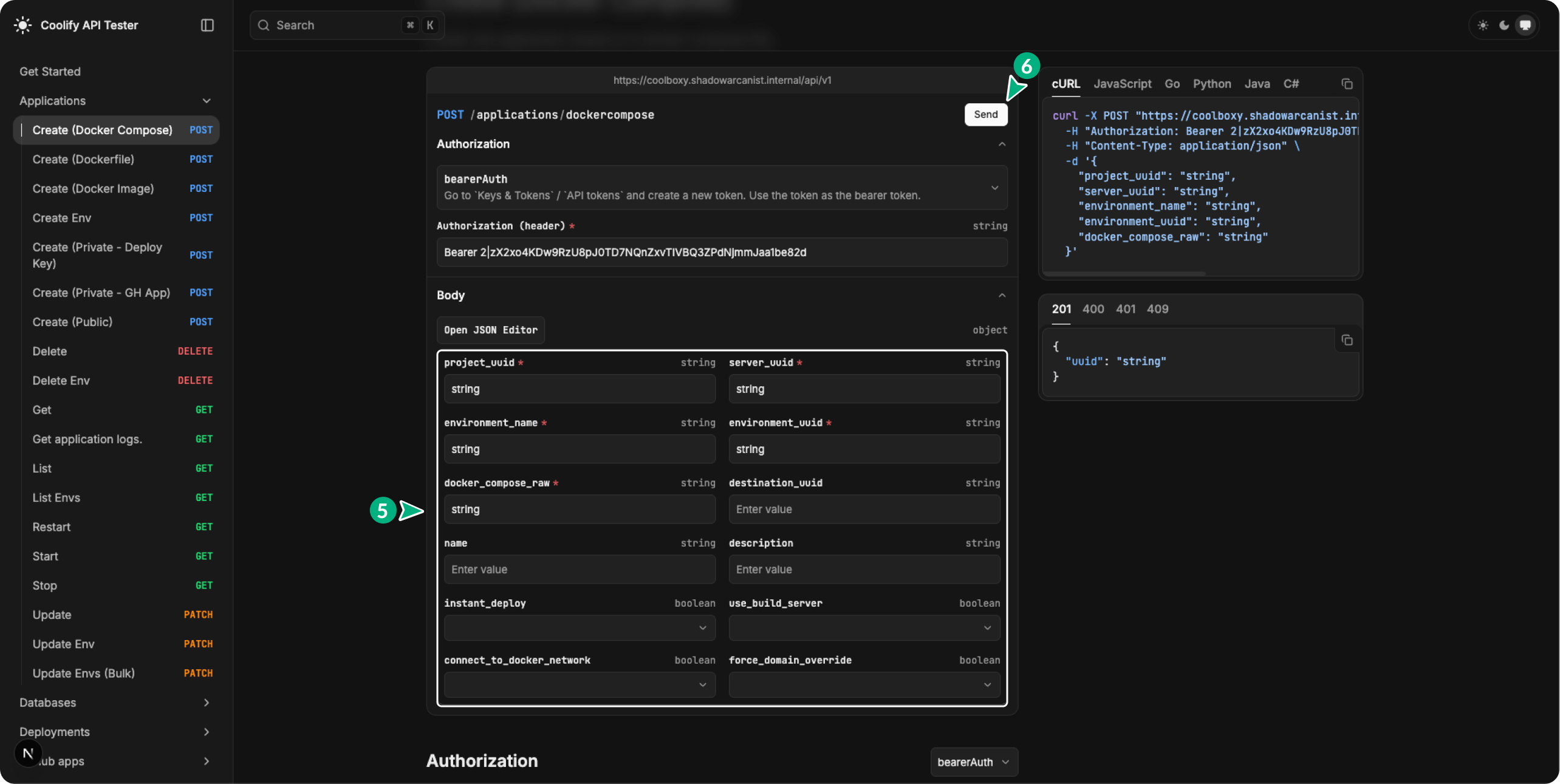
3. Prepare your Request body and click send button
Know Issue
Fumadocs automatically includes all properties in the request with null or empty values, even if you've only filled in one field. This can lead to errors.
If the API endpoint doesn't require all fields to be filled, you can manually remove the unnecessary properties. To do this, open the JSON editor, delete any fields you don’t need, and then click the "Send" button.